Free, without ads
Get it done, calmly.
DoeToch is a calm task list. Write down what's on your mind, see what matters today and leave the rest for later.
For web, iPhone, iPad and Android. One account, the same list everywhere.
Type it the way you say it
Quick add understands English and Dutch. DoeToch picks the date, the time, the priority and the project out of your sentence, and shows what it recognised before you save.
A project with #, labels with @, priority with p1 to p4 and a deadline between {braces}.
Call the plumber tomorrow at 9 p1 #Home
Tomorrow 09:00Priority 1Home
- Water the plantstyped: “Water the plants every saturday #Home”Every Saturday
- Take vitaminstyped: “Take vitamins every day at 8:00 and 20:00”Today 08:00 and 20:00
What DoeToch does for you
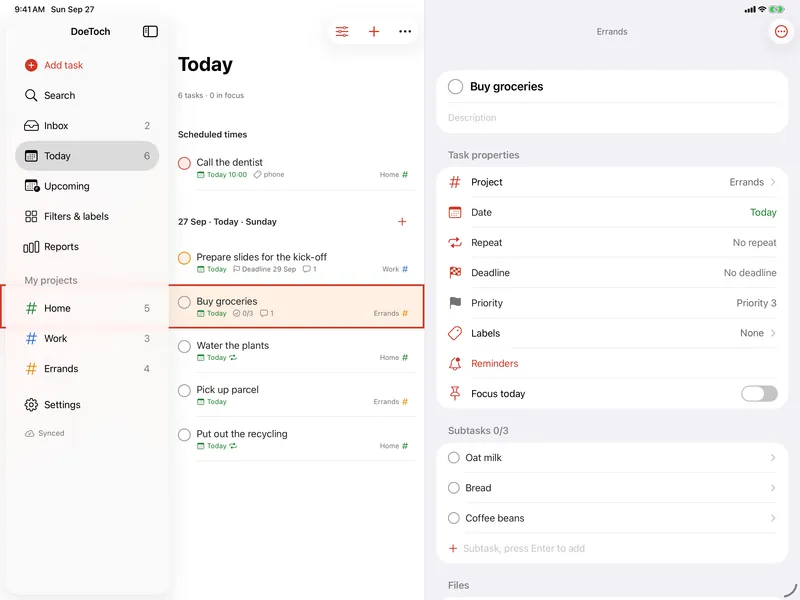
Everything a task list needs, calmly designed. On your phone, your tablet and in the browser.
Today and Upcoming
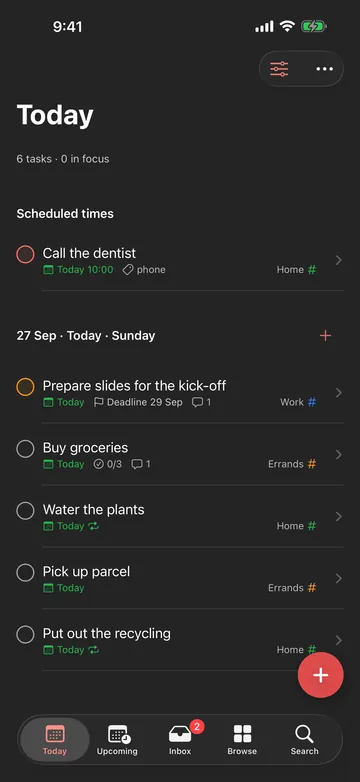
Today shows what's due now, with overdue tasks at the top. Upcoming shows the days after that.
Projects, labels and filters
Group tasks in projects with sections, tag them with labels and save your own filters. As a list or a board.
Repeating tasks
Every day, every other Monday, the last Friday of the month, or a few times a day.
Reminders
A notification on time, with Complete and Snooze right in it.
Works offline
Everything works without a connection. As soon as you're back online, DoeToch syncs.
Share to DoeToch
Turn a link, text, photo or file from another app into a task or a comment.
Widgets
A list to check off on your Home Screen, your daily goal and a quick add button.
Siri and Quick Settings
Siri, Shortcuts and the Action button on iPhone and iPad. A Quick Settings tile on Android.
Attachments and reports
Photos and files on a task, subtasks and comments. And a look back at what you've completed.
Take a look
Today 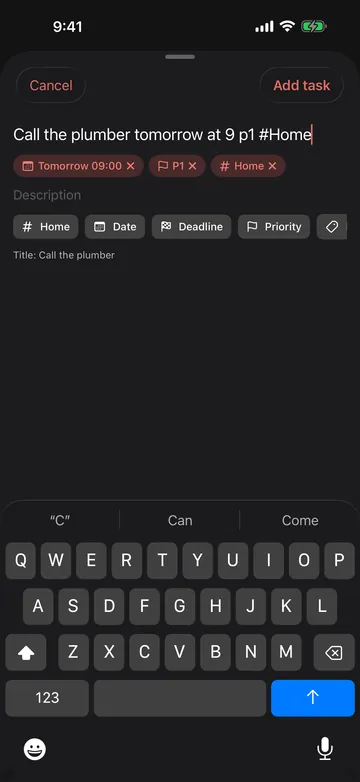
Quick add 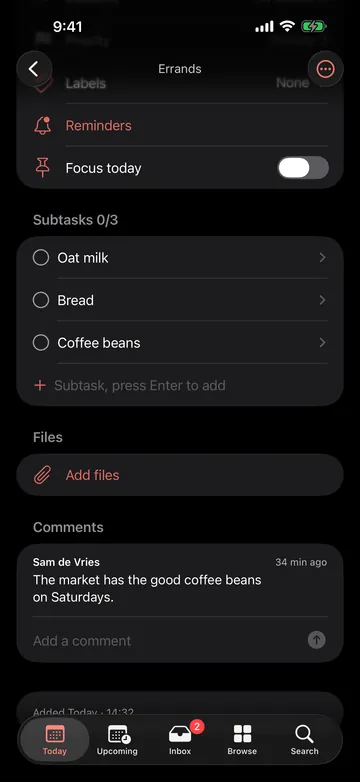
Task details 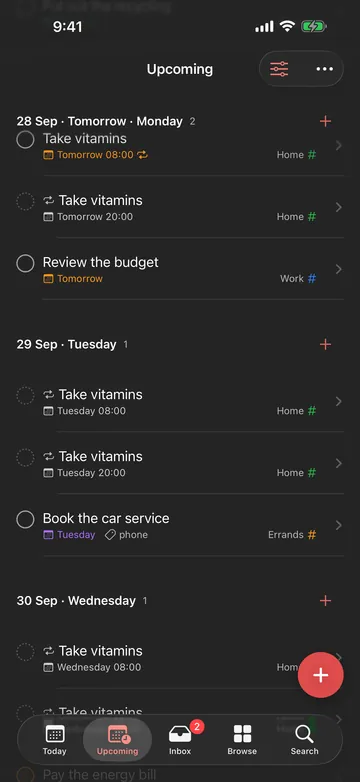
Upcoming 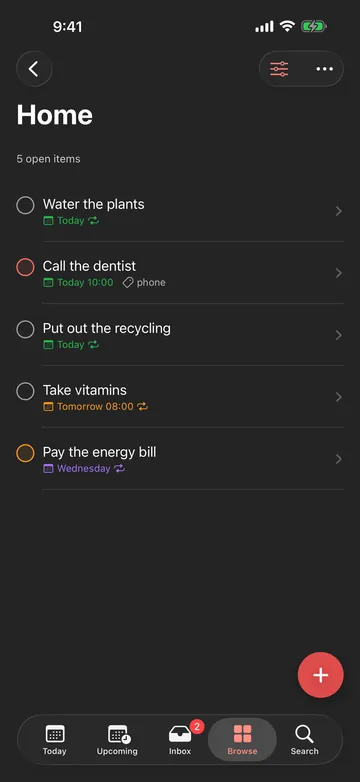
Projects
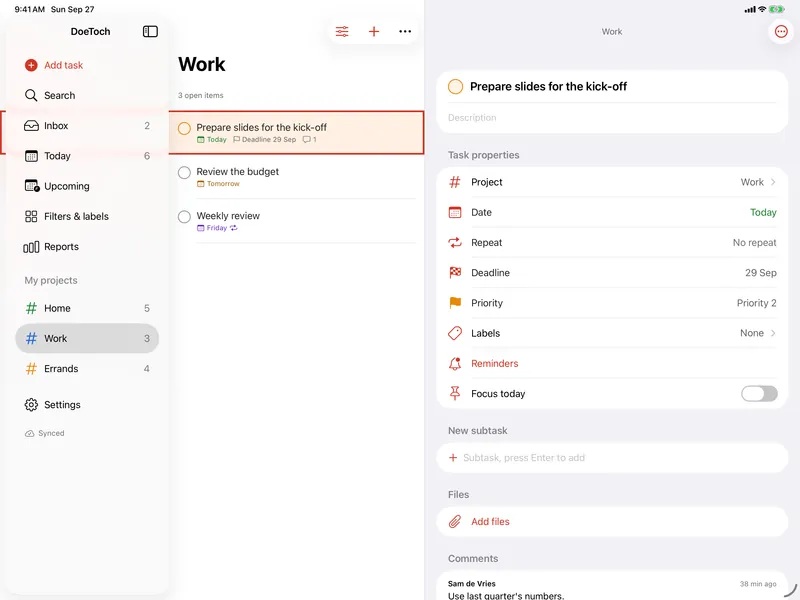
On your phone, tablet and computer
One account, the same list. On iPad the sidebar, the list and the details sit side by side, with keyboard shortcuts and multiple windows. On your computer, open the web app.
Light or dark, and eight colour themes.
Your tasks stay yours
- No ads and no tracking cookies. This website and the web app only count visits anonymously, on our own server; the apps don’t at all.
- Your data is stored on our own server in the Netherlands and is never sold.
- Backups are stored encrypted at Hetzner in Germany. Hetzner cannot read them.
- You can export all your data and delete your account yourself.
Get DoeToch
You sign in with the same account everywhere. Create one in the app or at app.doetoch.com.
iPhone and iPad
Coming soon to the App Store; DoeToch is waiting for Apple to approve it. The TestFlight beta is still pending Apple approval too.
Android
Through F-Droid at apps.orim.one; updates arrive by themselves after that. Google Play will follow.